
Years of
Experience
I am Yohannes

Backend Web Developer
Specialized in enterprise systems, automation, and advanced integrations.
New Project
🚀 New Project Added: EthioPost DPS/IPS Integration
0
0+
Project
Completed
Completed
0+
Happy
Clients
Clients
My Services
I put your ideas in the form of a unique web project that exceeds your expectation.
SERVICES
Web Application
A web application (or web app) is a software program that runs on a web server and is accessed through a web browser (e.g., Chrome, Safari, Firefox). Unlike traditional desktop applications installed on a local computer, web apps are delivered over the internet and require no installation on the user’s device. Examples include email services (Gmail), project management tools (Trello), and e-commerce platforms (Shopify).
How Do Web Apps Work?
- Client-Server Architecture:
- The client (your browser) sends requests to a server (remote computer hosting the app).
- The server processes the request (e.g., retrieving data from a database) and sends back a response.
- Dynamic Content: Web apps often update in real time without requiring a full page reload (thanks to technologies like AJAX or frameworks like React).
Key Benefits of Web Applications
- Cross-Platform Compatibility: Works on any device with a modern browser.
- Accessibility: Use anywhere with an internet connection.
- Easy Maintenance & Updates: Updates are deployed centrally on the server.
- Cost-Effective Development: Build once, deploy everywhere.
- Collaboration & Integration: Real-time teamwork and API integrations.
- Reduced Storage Requirements: Minimal local storage needed.
Web Apps vs. Desktop Apps: Key Differences
| Feature | Web Application | Desktop Application |
|---|---|---|
| Installation | No installation required | Installed locally |
| Accessibility | Accessible from any device | Device-specific |
| Updates | Automatic server-side updates | Manual updates |
| Performance | Depends on internet speed | Optimized for local hardware |
When to Choose a Web App?
Choose a web app for broad accessibility, collaboration, or cost efficiency. Choose a desktop app for high-performance tasks or offline functionality.
Conclusion
Web applications offer flexibility and accessibility, while desktop apps excel in performance. Your choice depends on your project’s specific needs!
SERVICES
Desktop Application
A desktop application is a software program installed locally on a computer or device (e.g., Windows PC, Mac, Linux). Unlike web apps, desktop apps run natively on the operating system and do not require a browser to function. Examples include design tools like Adobe Photoshop, office suites like Microsoft Office, and games like Steam.
How Do Desktop Apps Work?
- Local Execution:
- Installed directly on the device’s storage (hard drive or SSD).
- Leverages the device’s hardware resources (CPU, GPU, RAM) for processing.
- Operating System Integration:
- Direct access to system APIs for features like file management, hardware devices, or offline storage.
- Often supports platform-specific optimizations (e.g., macOS menu bars, Windows taskbar).
Key Benefits of Desktop Applications
- High Performance: Optimized for local hardware (ideal for resource-heavy tasks like 3D rendering).
- Offline Functionality: Works without internet access once installed.
- Hardware Access: Integrates with peripherals (printers, cameras, sensors).
- Advanced Security: Less exposed to online threats like phishing or DDoS attacks.
- Customization: Full control over UI/UX and system-level features.
- Platform-Specific Features: Utilizes OS-native tools (e.g., Touch Bar on MacBooks).
Desktop Apps vs. Web Apps: Key Differences
| Feature | Desktop Application | Web Application |
|---|---|---|
| Installation | Installed locally | No installation required |
| Accessibility | Device-specific | Accessible from any device |
| Updates | Manual updates | Automatic server-side updates |
| Performance | Optimized for local hardware | Depends on internet speed |
| Offline Use | Works fully offline | Limited offline functionality |
When to Choose a Desktop App?
Choose a desktop app for high-performance tasks, offline work, or hardware integration. Choose a web app for cross-platform access or collaboration.
Conclusion
Desktop applications remain essential for performance-critical tasks and offline workflows. While web apps excel in accessibility, desktop apps dominate in power, customization, and hardware integration. Your choice depends on balancing user needs with technical requirements.
SERVICES
Website
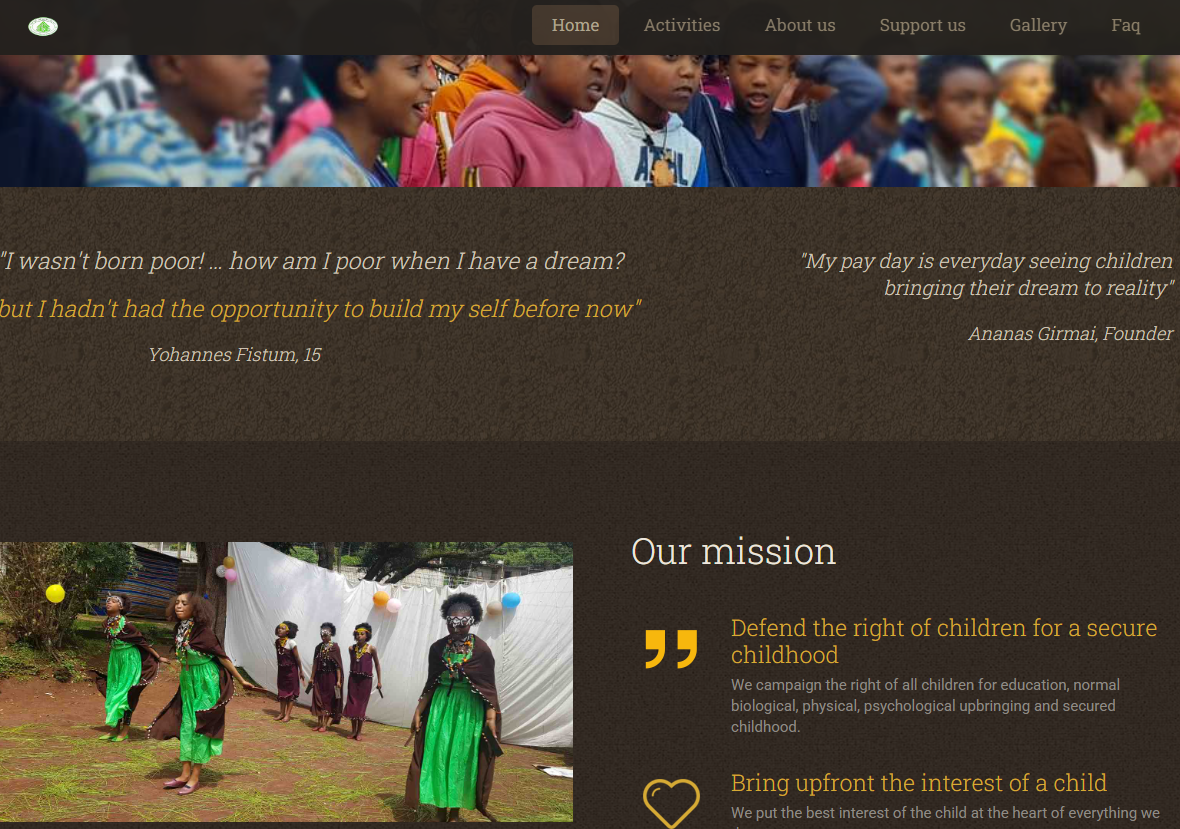
A website is a collection of interconnected web pages hosted under a single domain name. It serves as a digital presence for individuals, businesses, or organizations, primarily to share information. Examples include blogs, portfolios, news platforms, and business landing pages (e.g., The New York Times, Apple’s homepage).
How Do Websites Work?
- Static vs. Dynamic:
- Static websites display fixed content (HTML/CSS) stored on a server.
- Dynamic websites generate content on-the-fly using server-side languages (PHP, Python) and databases.
- User Interaction:
- Most websites focus on one-way communication (user reads/view content).
- Limited interactivity compared to web apps (e.g., contact forms, search bars).
Key Benefits of Websites
- Global Accessibility: Reach audiences worldwide 24/7.
- Cost-Effective: Cheaper to build and maintain than apps.
- SEO Advantage: Optimized for search engines to drive organic traffic.
- Brand Authority: Establish credibility and trust online.
- Low User Friction: No installations or updates required.
- Multimedia Support: Combine text, images, videos, and downloads.
Websites vs. Web Apps vs. Desktop Apps
| Feature | Website | Web App | Desktop App |
|---|---|---|---|
| Primary Purpose | Information/Content | User Interaction & Tasks | Local Processing |
| Complexity | Low to Medium | High | High |
| Updates | Manual (via CMS or code) | Automatic (server-side) | Manual |
| Interactivity | Limited | Advanced (e.g., dashboards) | Full system access |
| Offline Use | No | Limited (PWAs) | Yes |
When to Choose a Website?
Choose a website for informational purposes, branding, or content marketing. Opt for a web app if you need user accounts, real-time data, or complex workflows.
Conclusion
Websites remain the foundation of digital presence, ideal for sharing information and building brands. Web apps and desktop apps fill specialized roles for interactivity and performance. Your choice depends on goals: visibility, user engagement, or system control.
New Project
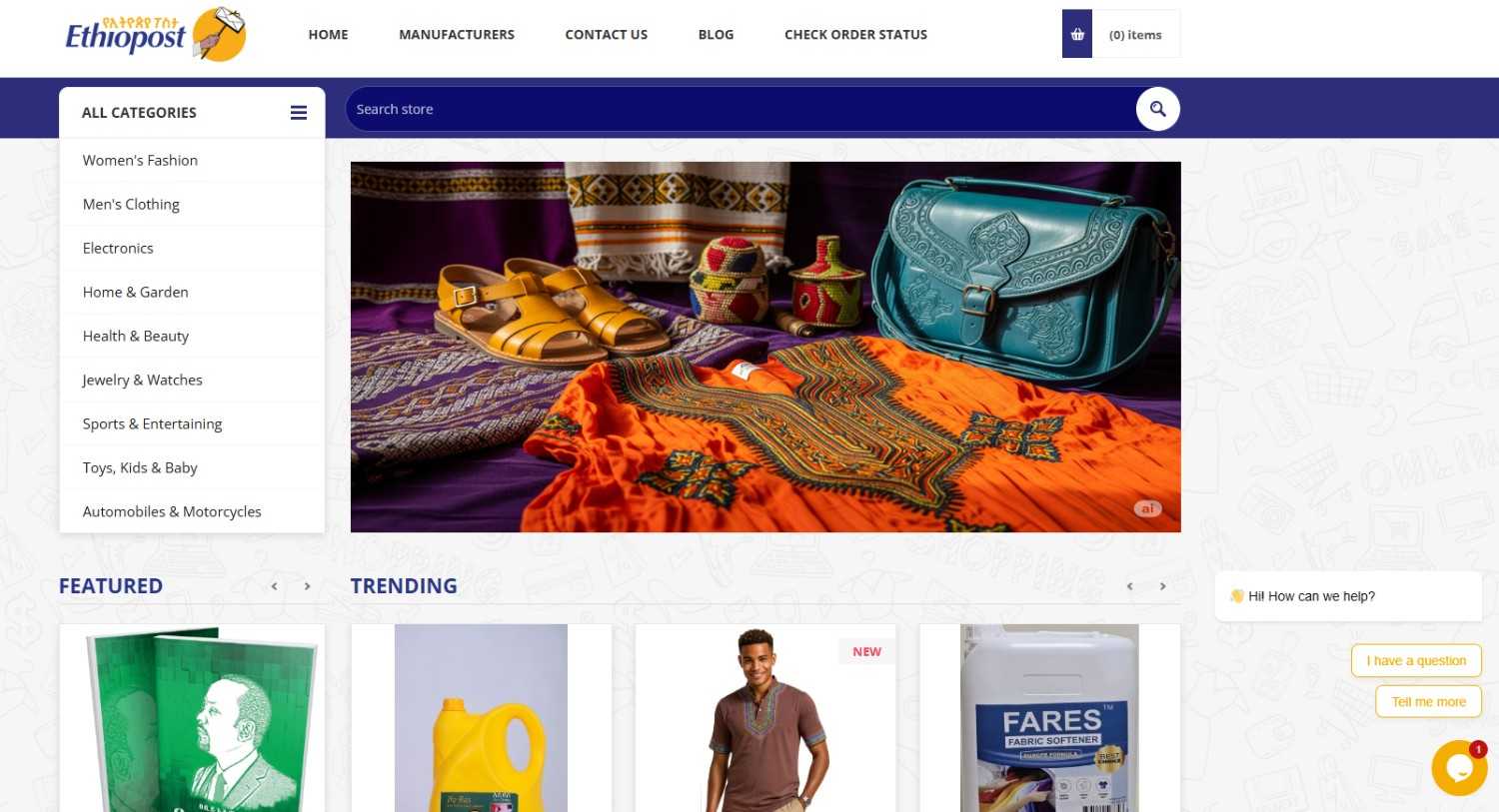
EthioPost Ecommerce Integration
A full Domestic Postal System (DPS) and International Postal System (IPS) and Custom Declaration System integration. Includes automatic dps mail item creation, geolocation-based facility detection, warehouse inventory deduction logic, customs declaration automation, and real-time tracking updates.
- ✔ DPS, IPS API Integration
- ✔ Warehouse geolocation & inventory logic
- ✔ Automatic dps mail item creation on order payment
- ✔ Customs Declaration (CDS) automation
- ✔ Tracking & notification workflows
My Recent Works
I put your ideas to work and develop an All In One system that lines up with your business.
EthioPost Ecommerce Integration
Full DPS, IPS & CDS postal integration with automation
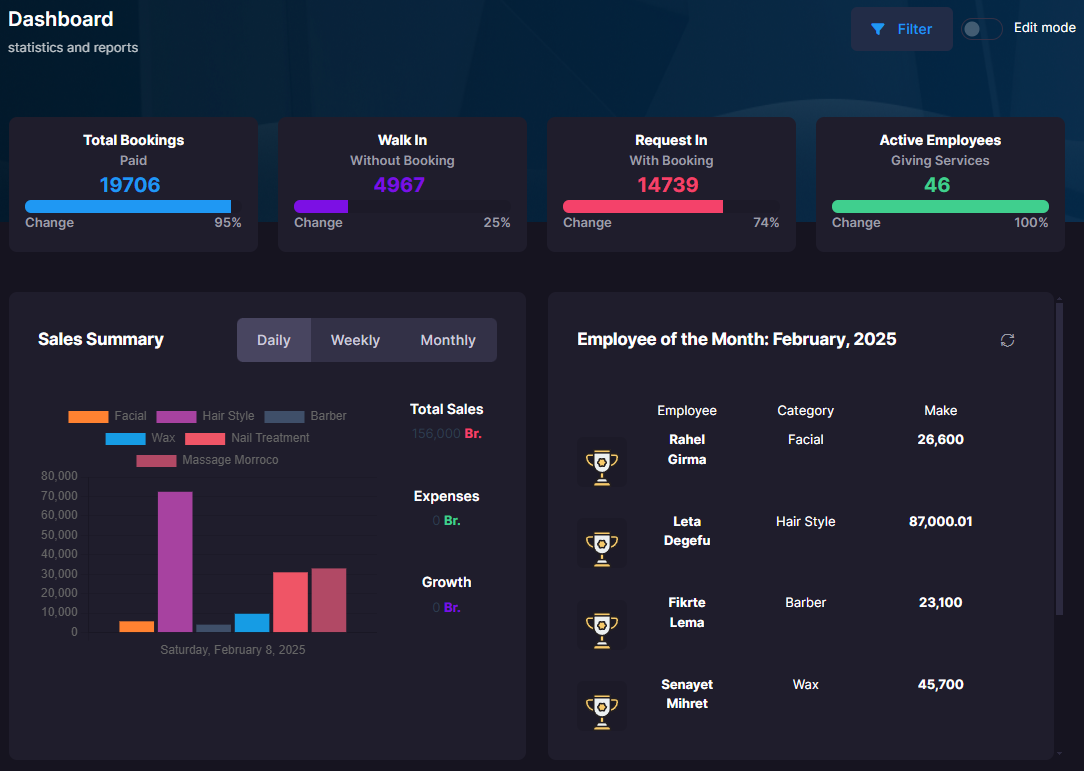
Booking
All In One Booking system for salon & spa services provider
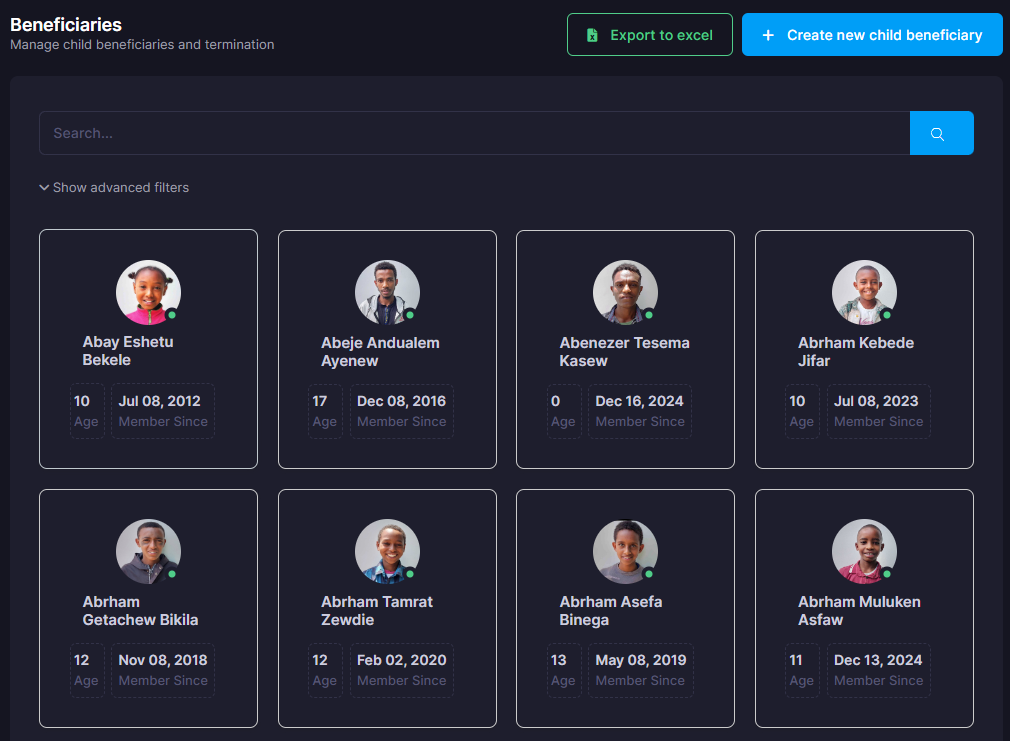
Child Management
All In One Child management system for a local NGO working on orphange children
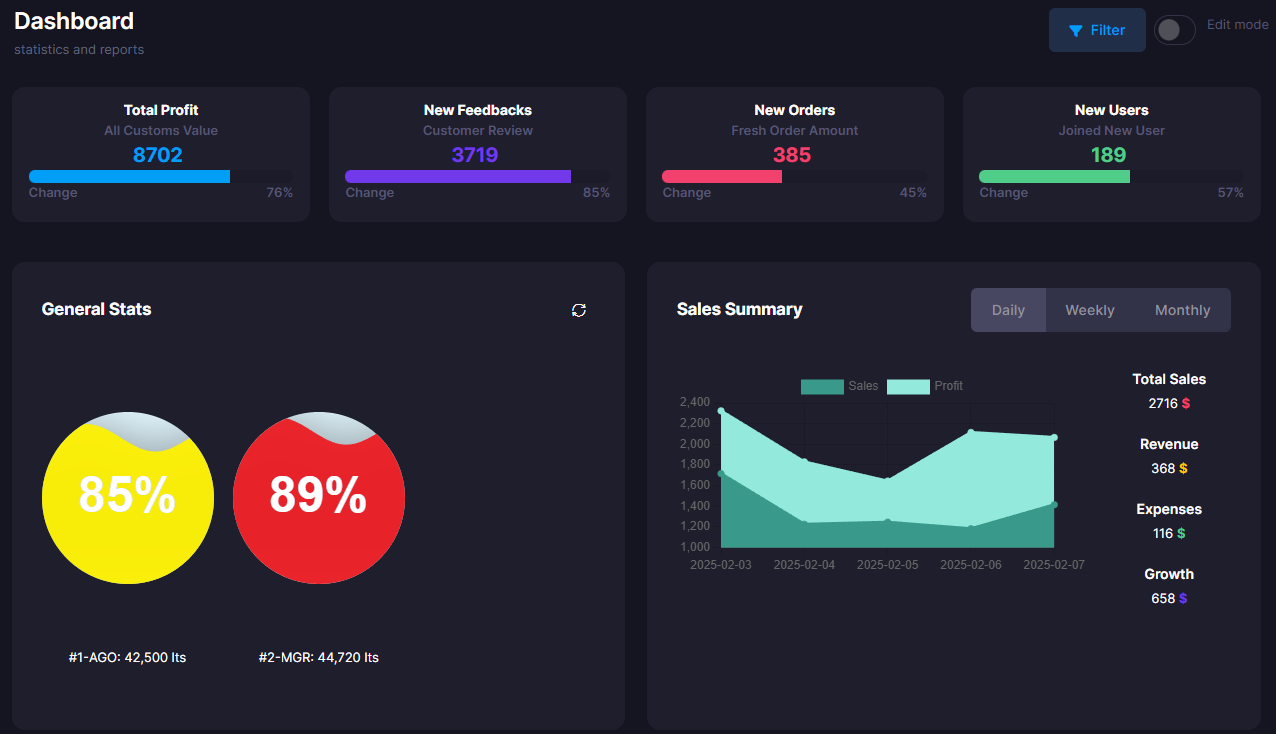
Fuel station Management
Robust Fuel management system for fuel stations.
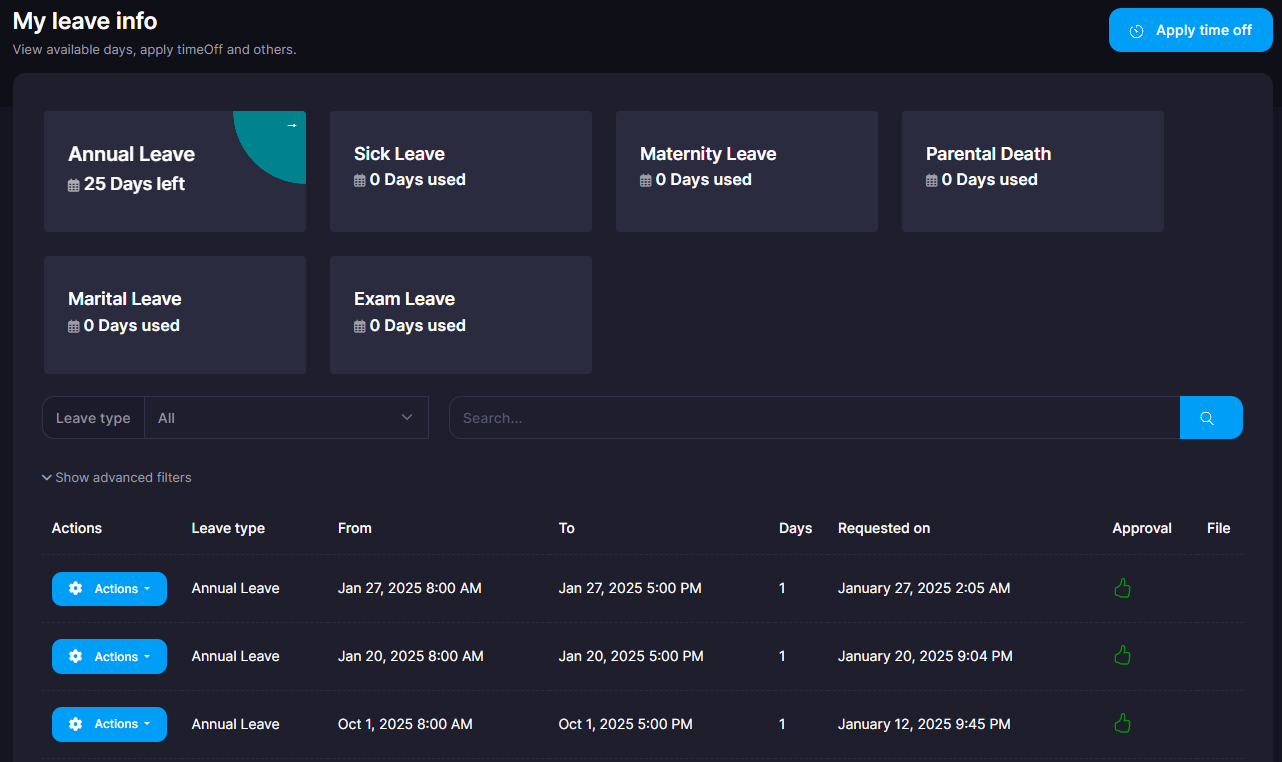
Employee Leave Management
Automated and robust system to manage Employee Annual Day offs
PROCS, Website
Website for a local NGO
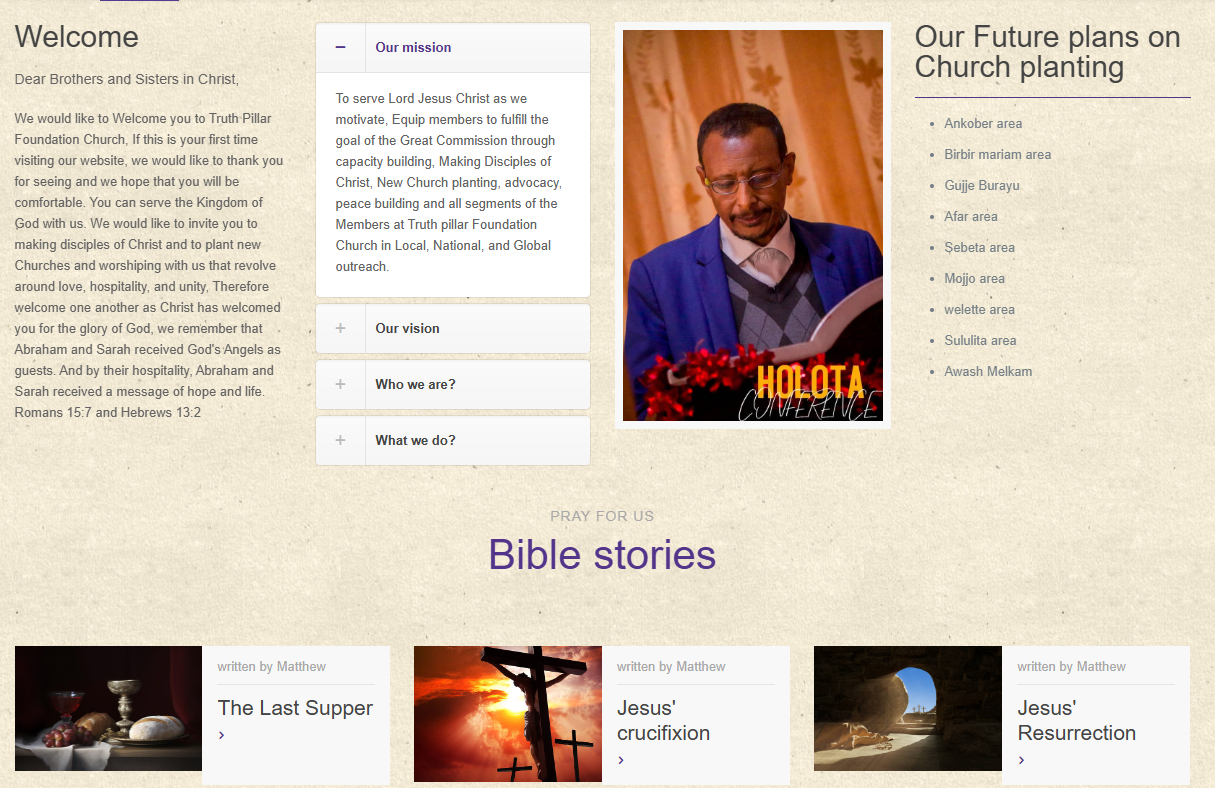
TruthPillar church, Website
Website for an evangelical church

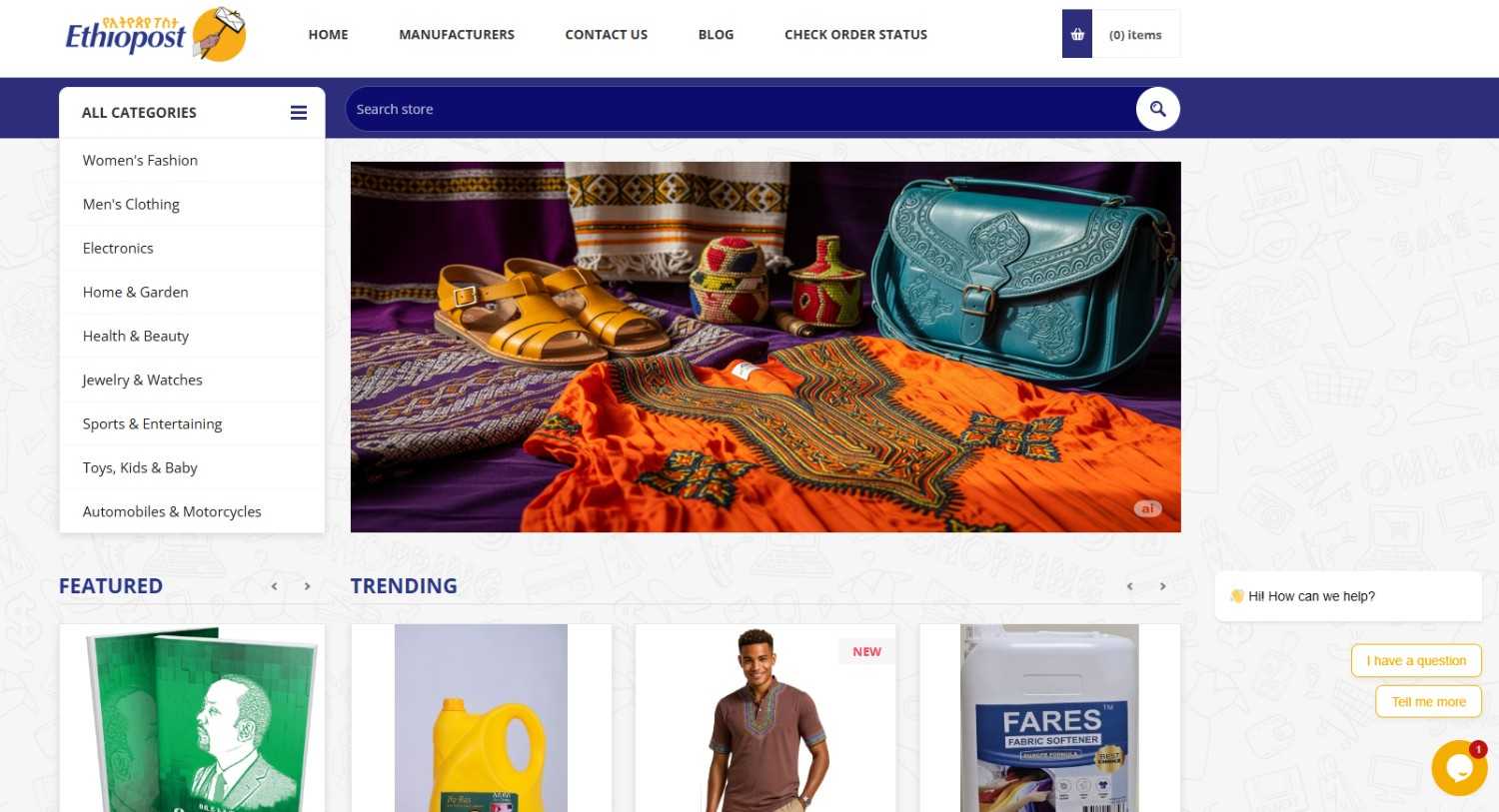
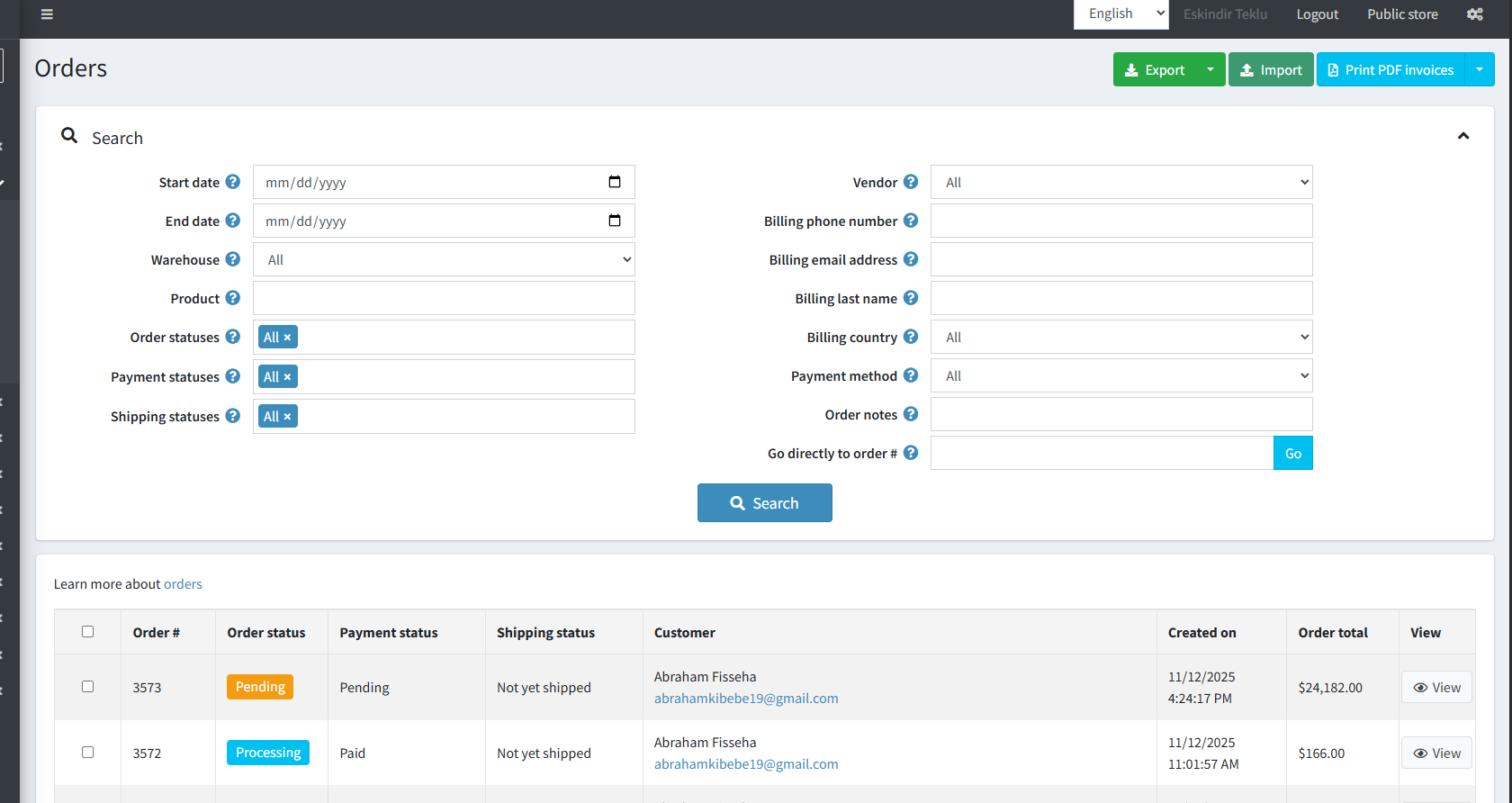
EthioPost Ecommerce – DPS / IPS Integration
A complete automation system integrating the Domestic Postal System (DPS) and International Postal System (IPS) with a customized nopCommerce platform. Includes automated mail item creation, warehouse-aware inventory deduction, facility geolocation logic, customs declaration (CDS) automation, and end-to-end tracking workflows.
Category
Ecommerce
Client
EthioPost
Start Date
2025

Project Description
This system powers the ecommerce logistics workflow for EthioPost by integrating their domestic and international postal services. When an order is paid, the system automatically determines the nearest warehouse, validates stock availability, maps the nearest facility code, and creates or updates the mail item using the DPS API.
It also automates CDS forms for international shipments, attaches tracking identifiers, and sends live notifications to customers. Warehouse-level inventory deduction ensures accurate physical stock tracking.
My Approach
I built a custom plugin that orchestrates the entire DPS workflow. It listens to order payment events, fetches geolocation data to determine the closest warehouse, and communicates with EthioPost APIs using OAuth / DP Bearer authentication.
I added logic a stock deduction system so each warehouse correctly reflects real inventory. For international shipments, I integrated the CDS (Customs Declaration System) to ensure shipments pass border checks smoothly.
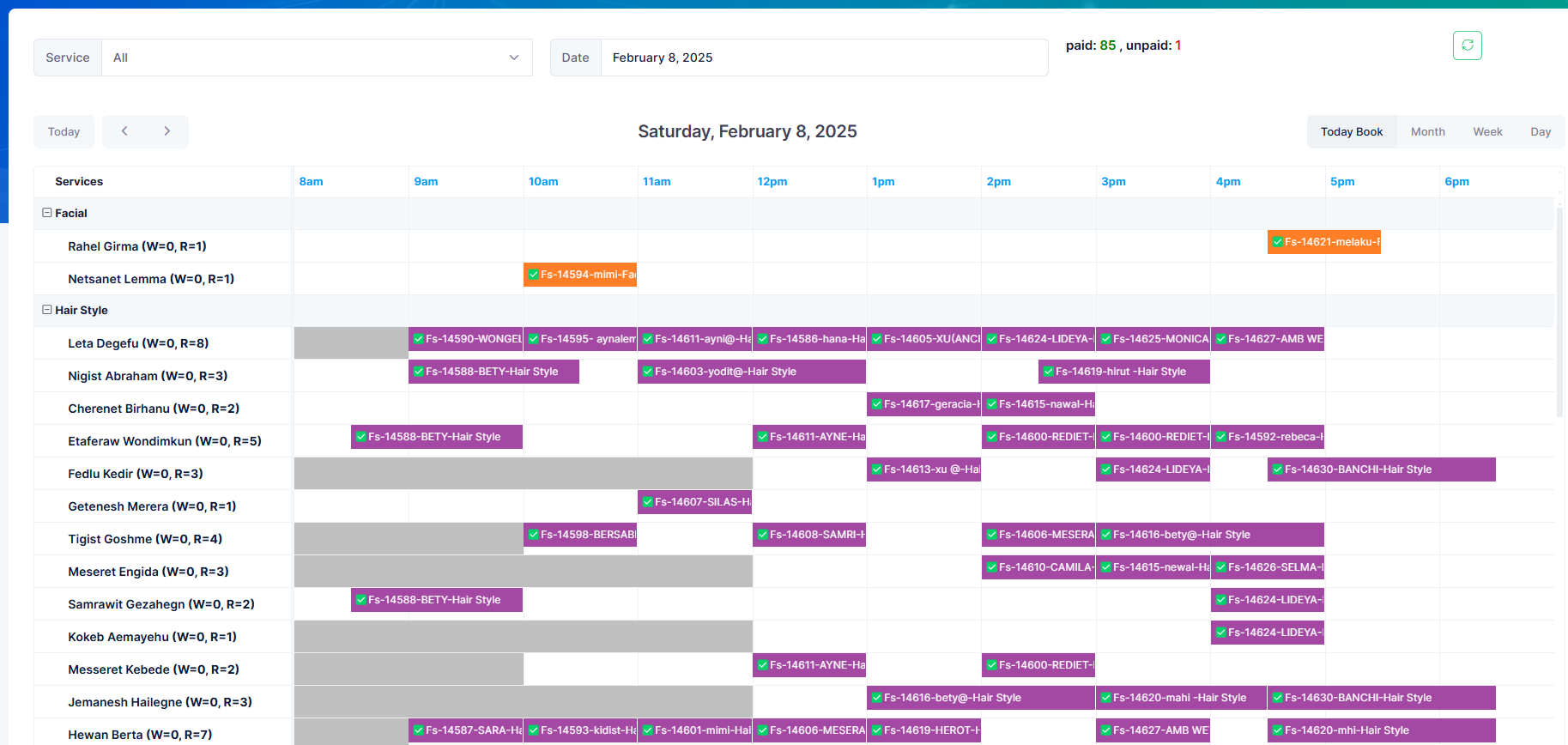
Booking
Customer booking system for Salon & Spa.
Category
Web App
Client
Signature Salon & Spa
Start Date
August 20, 2022
Project Description
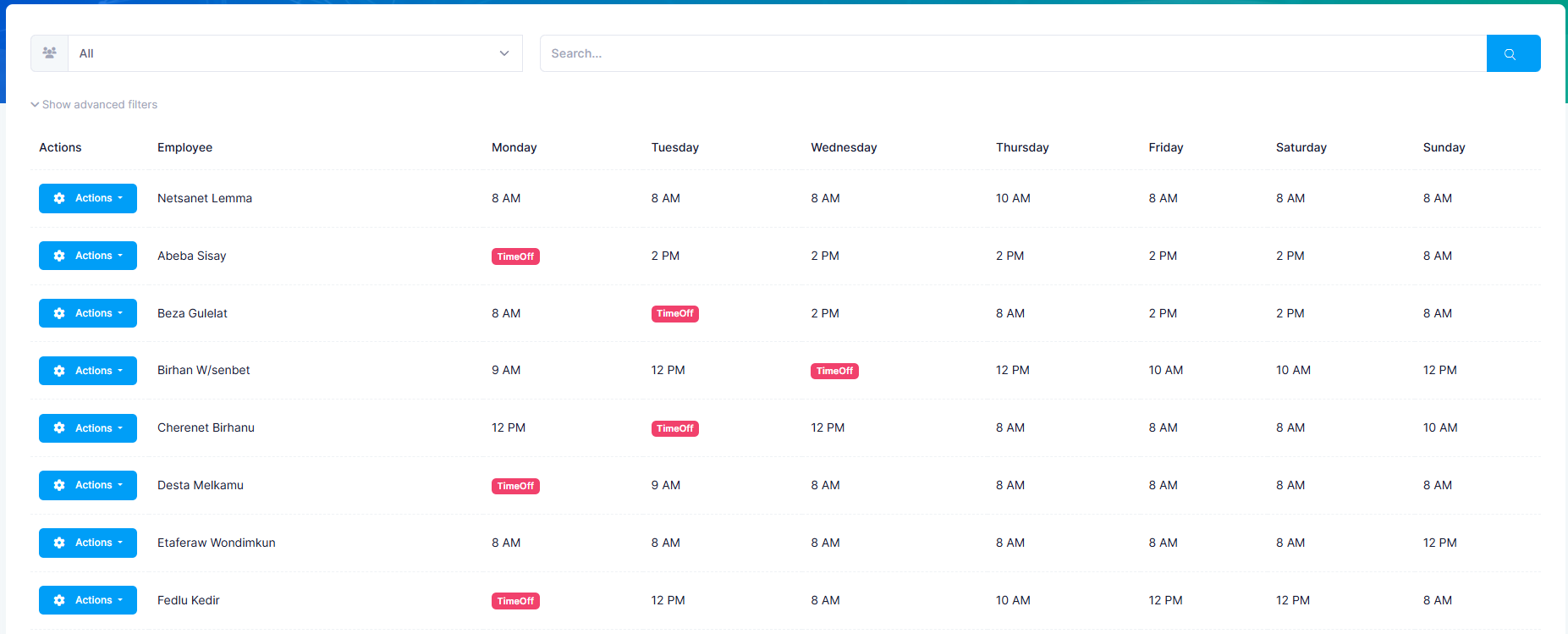
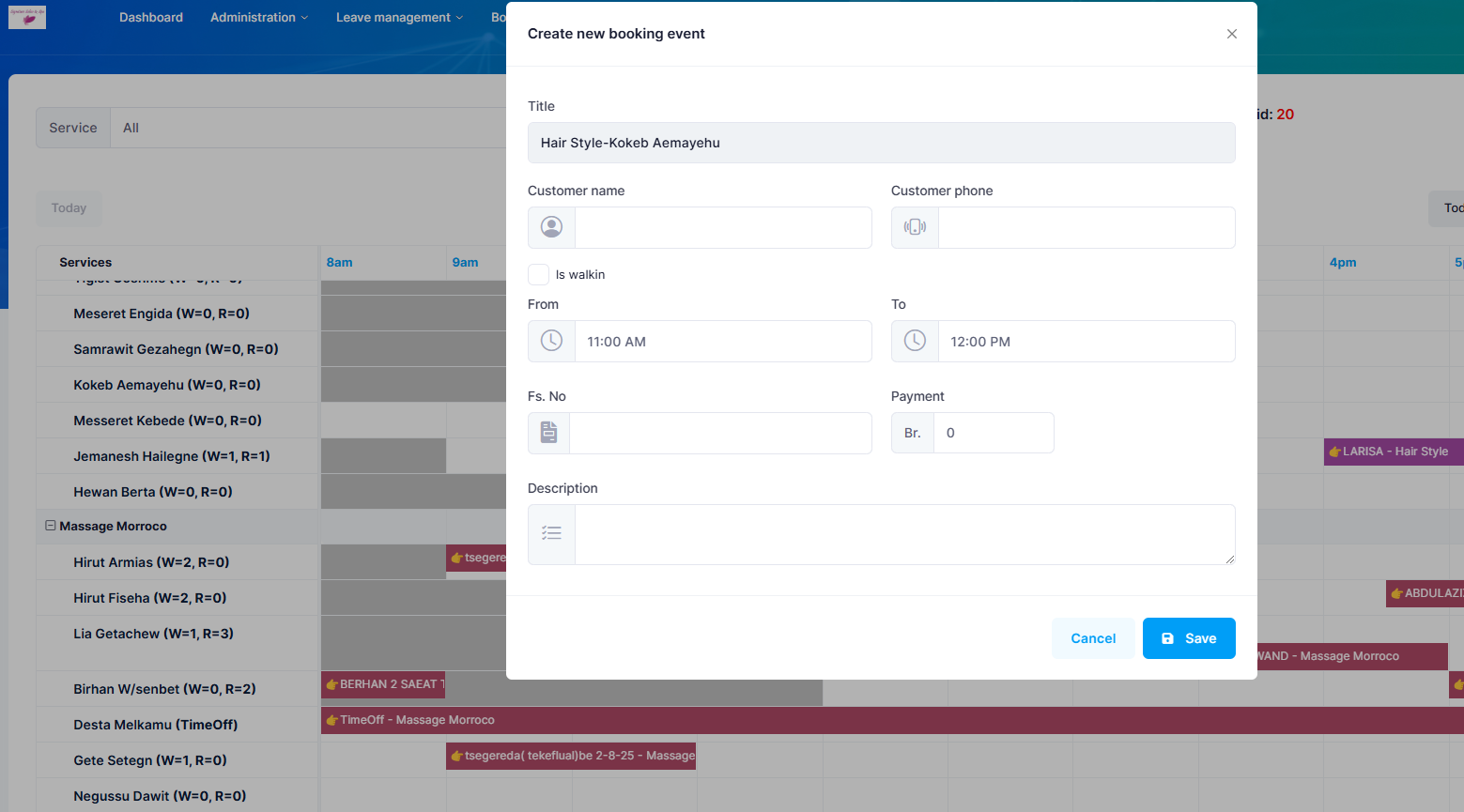
Customers book for a service in the salon & spa with their information and time of booking. with that information, Receptions at the front desk will put the data in the system and assign it to the specific specialist at a specific time. After that, the customer will get the service and after service informations will be entered to the system including payment, duration of task, so on.
Every task is registered and associated with its respective cost for the finance department. Hence, finanance department will analyze the reports, pay commisions to employees and the finanace department has the ability to see the daily, weekly or any time reports, including yearly or monthly gross incomes.
My Approach
First things first, the system should be based on latest and robust framework. hence, i choosed .net core. Also, the system should implement role based authentication for each employee and also, added employee detailed information. Specialist has their own work schedules and for that, the system should be aware of that and implemented day off and sudden absents to be integrated with the booking. All the services given have their own cost and for this reason, evey service payment should be registered the amount with its respective receipt/Fiscal number. All this payments should be concieled with the report by the fiscal machine. The system also has to do the job of nominating 'Employee of the month' for the company to clearly show important employees highly contributing for the businees flow. Last but not least, Reporting! A system without report is not a system. hence, based on the LOB requriement of the company, i implemented a very robust reporting system that is flexible and all in one.
Child Management
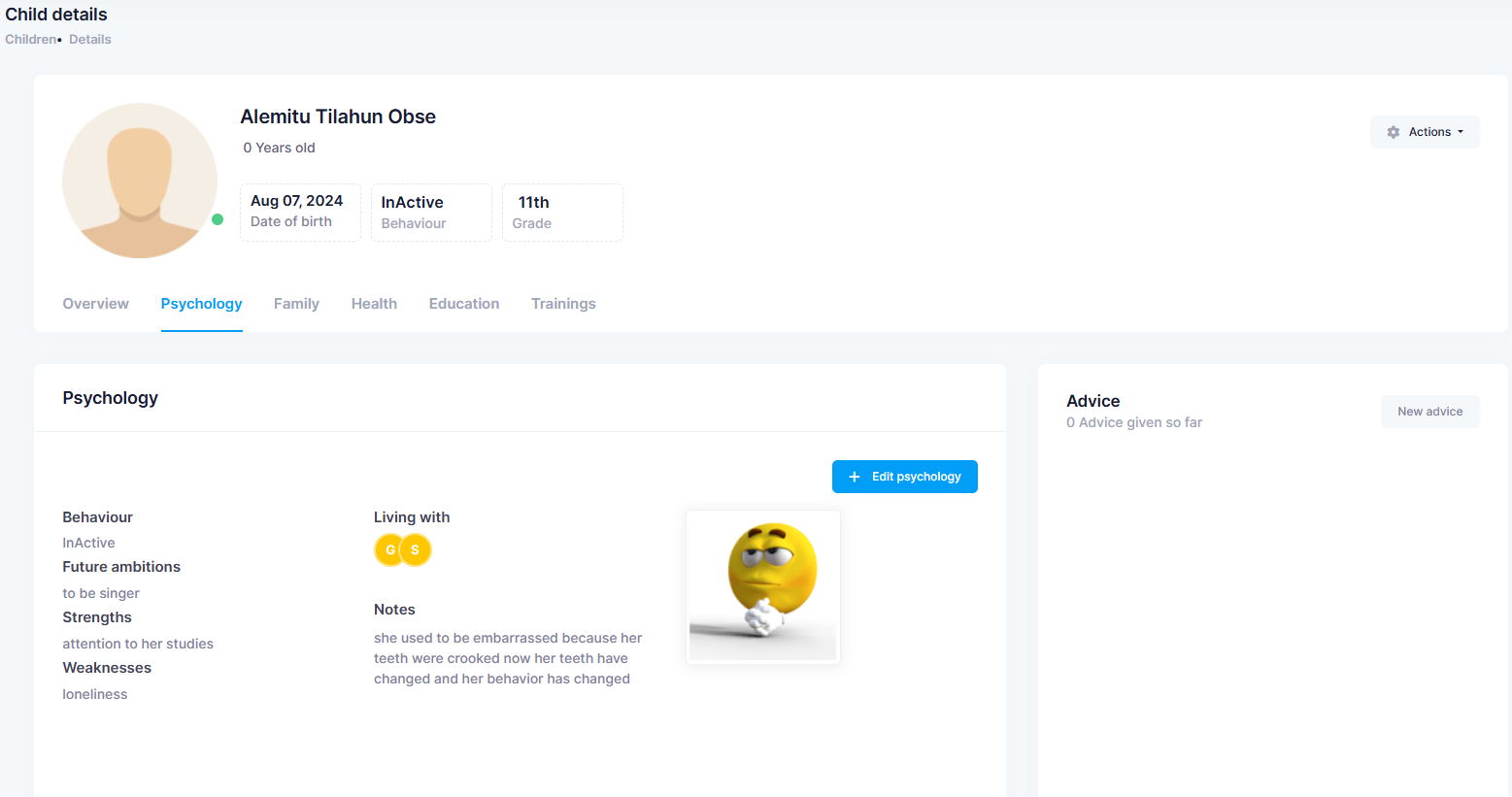
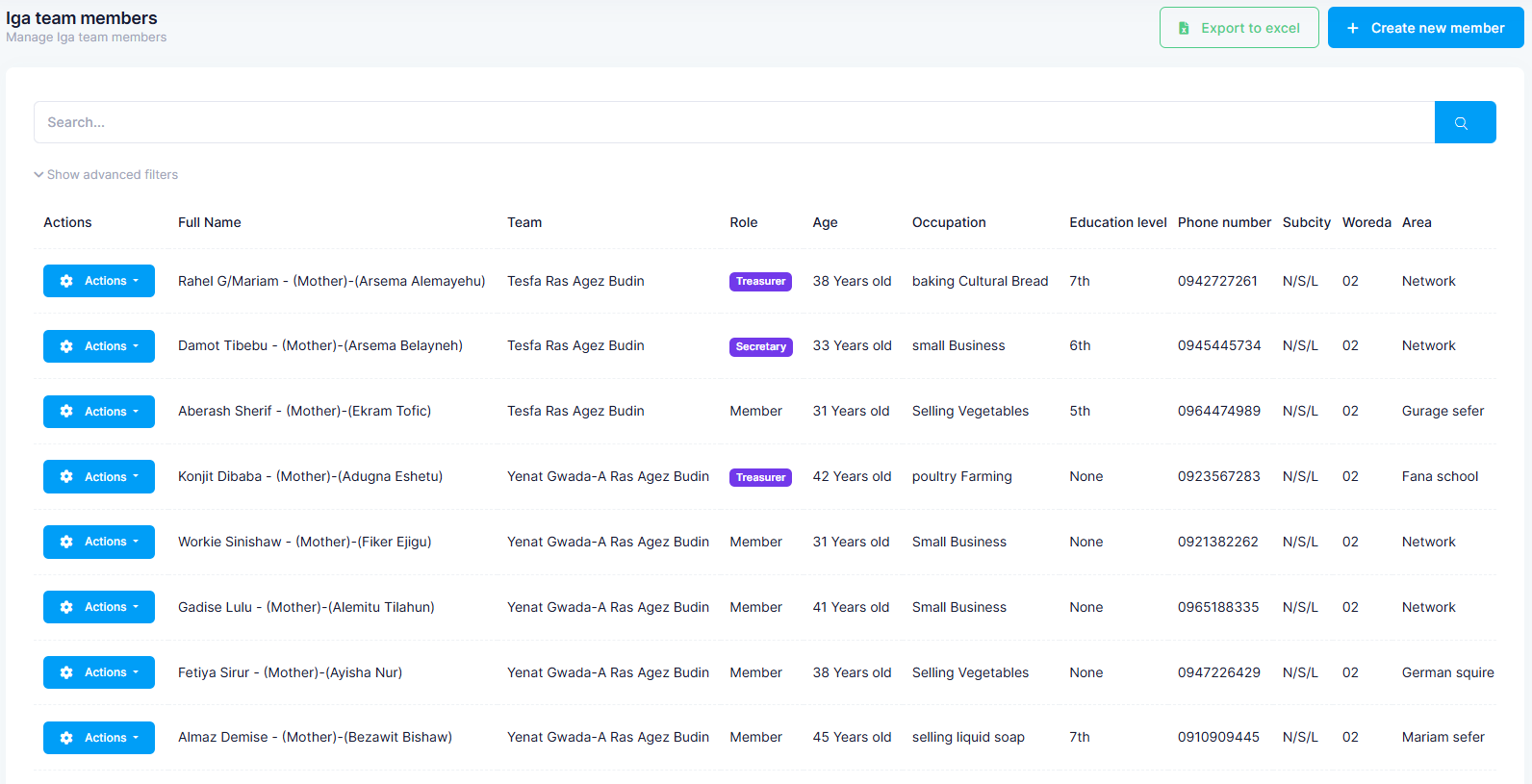
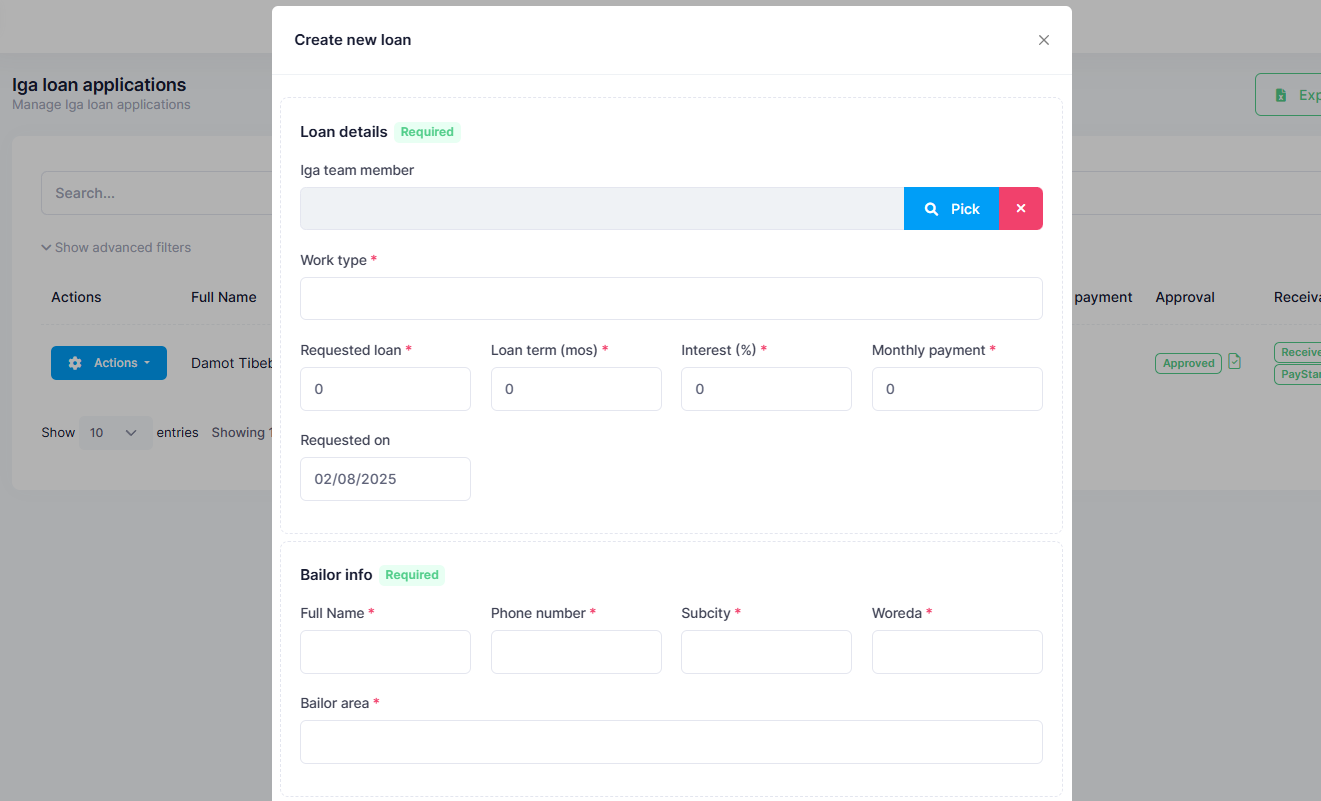
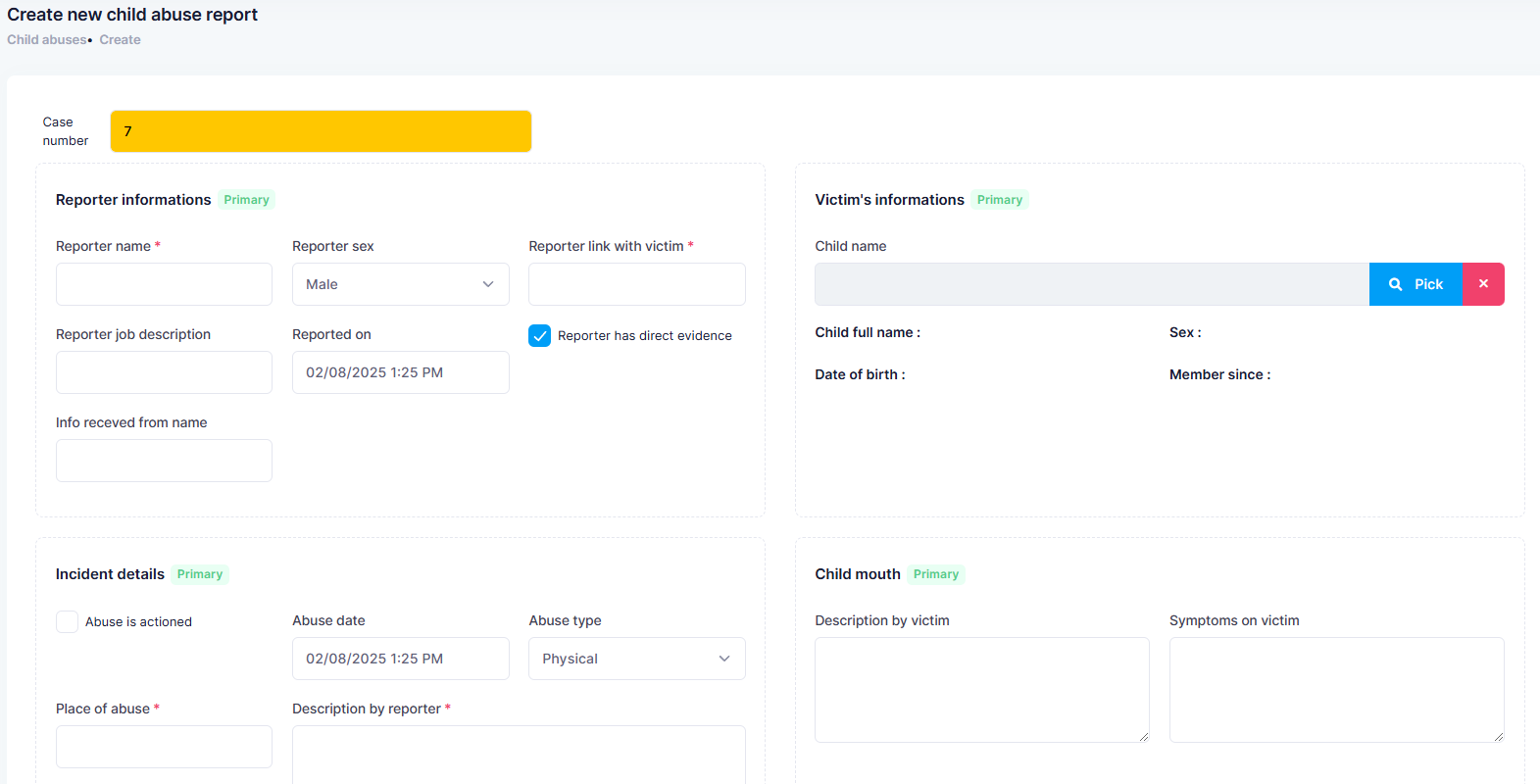
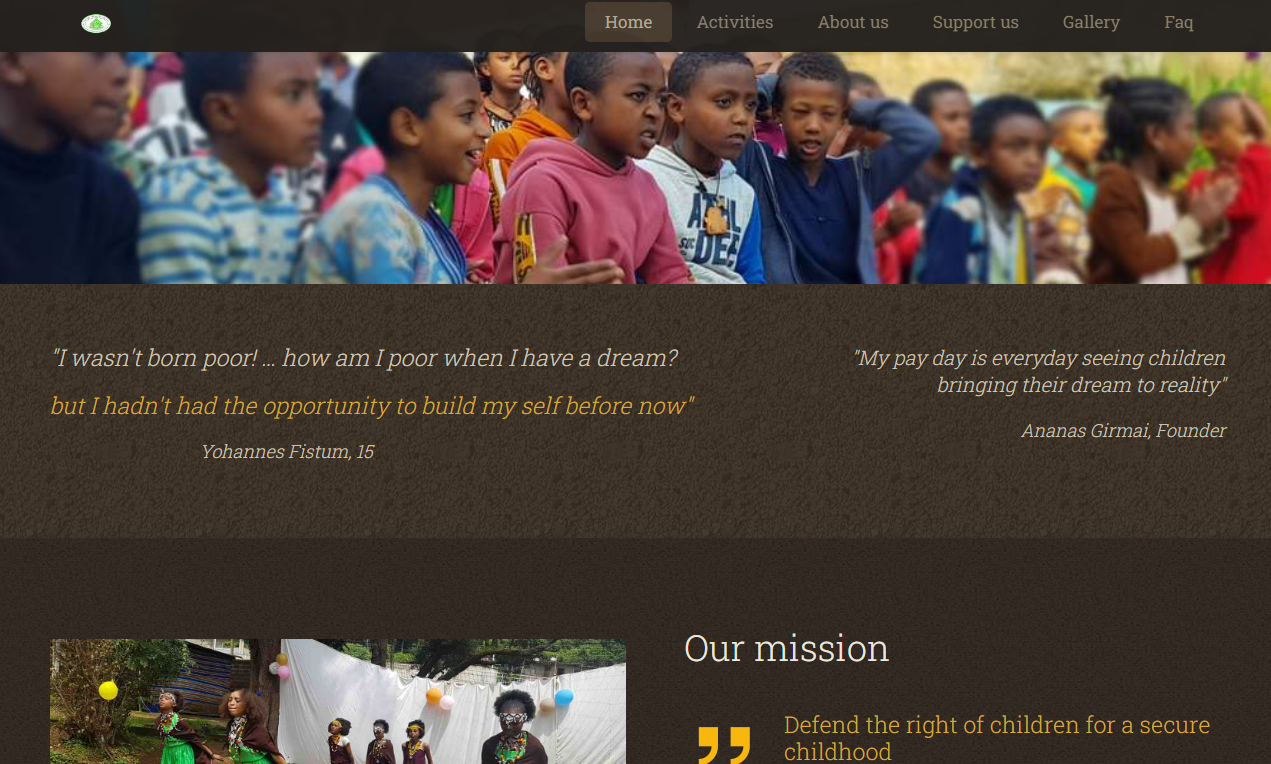
A centralized data system of children who are beneficiary in the organization. Every child progress records are put into the system which includes, Health, Education and trainings. Also, has the ability to record and track different Income generation activities by the children's family.
Category
Web App
Client
Holistic Opportunity of Hopes
Start Date
March, 2024
Project Description
The system is All in One solution that has Employee management, Child management and other activities of Children's families. The beneficiary children must have their relevant informations put in a system and as long as they are beneficiary in the organization, their progress has to be recorded as well. for instance, their school, educational level and yearly academic results should be included. The system also tracks the children's family income generation activities that include loan applications and payments.
My Approach
A child has different areas of informations to be aware of as an organization. hence, classifying those informations is the first approach. These are overall information, Psychological, Health, Education, Trainings and Family informations. So the system should have all these informations connected to that specific child. Also, Income generation activites by the children's family should also be related to the child beneficiary or active status in the organization. Administrative costs spent on each child and family should also be recorded and tracked. Besides, the system should have a very elegant reporting system that is all in one and excellent. Reports can be seen by government companies, hence, it should be elegant and one that increases the organizations image and reputation.
Fuel Station Management
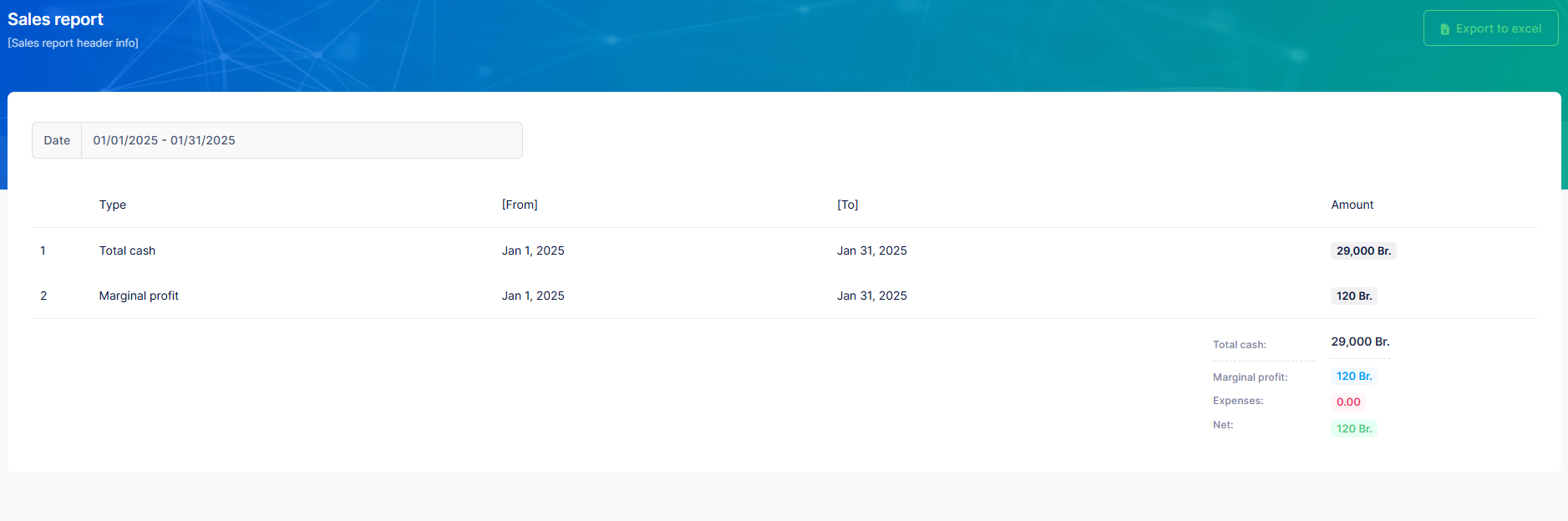
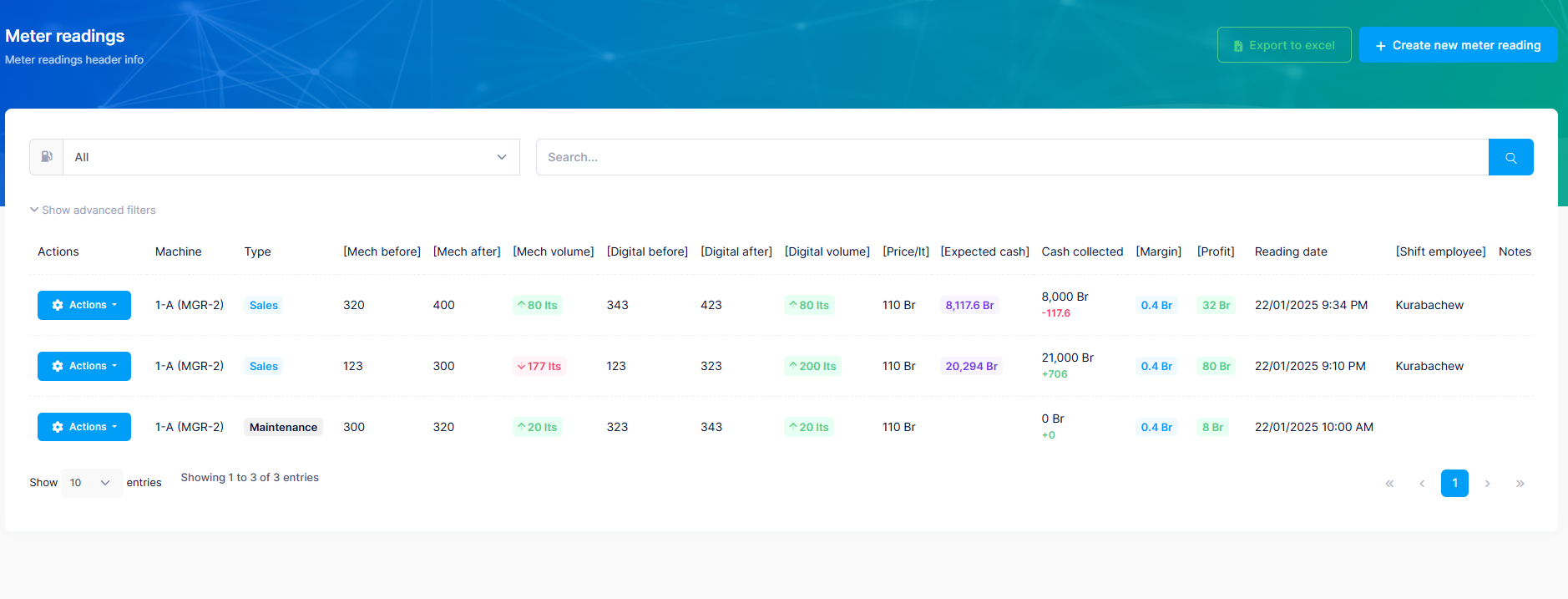
Fuel station management for different fuel stations.
Category
Web App
Client
Software As A Service
Project Description
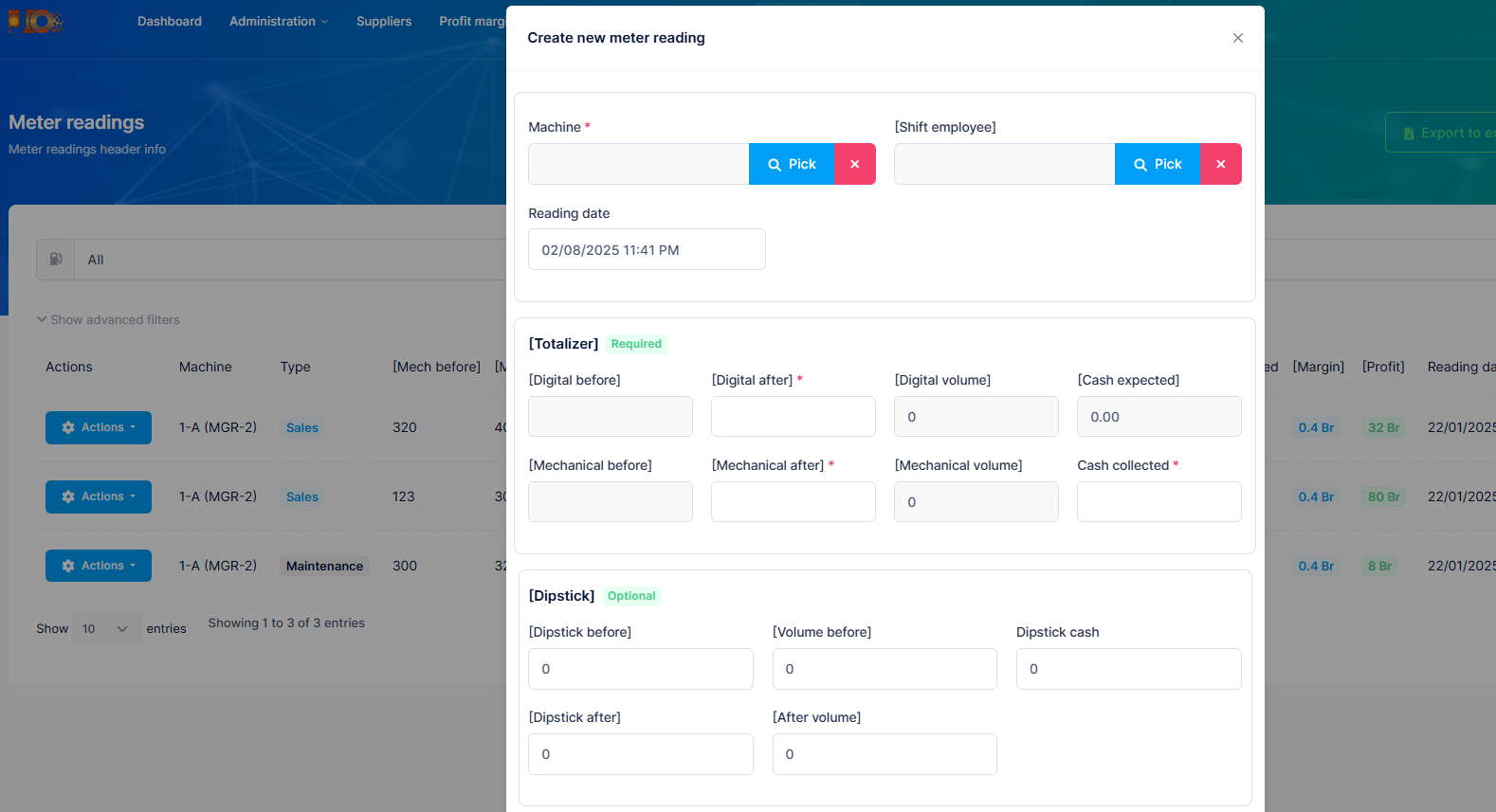
Fuel station operations now a days are very tidious and very cash intensive. Operations such fuel offloading, sales and machine installations or removals and employee shift management, all these require a very robust system that is centralized. This project is delivered as a Software As A Service, which is any fuel station can use this service and manage its own station.
My Approach
The system should be Multi-tenat or Software as a service. Every operation starting from fuel suppliers, products, margins, machines and under ground tanks management has been simplified and every sales is recorded. Also, Electro-Mechanical operations such as machine maintenances are also recorded. All this will be accounted on reporting and it helps the station owner to manage his operations not only in one station but different branches.
Employee Leave Management
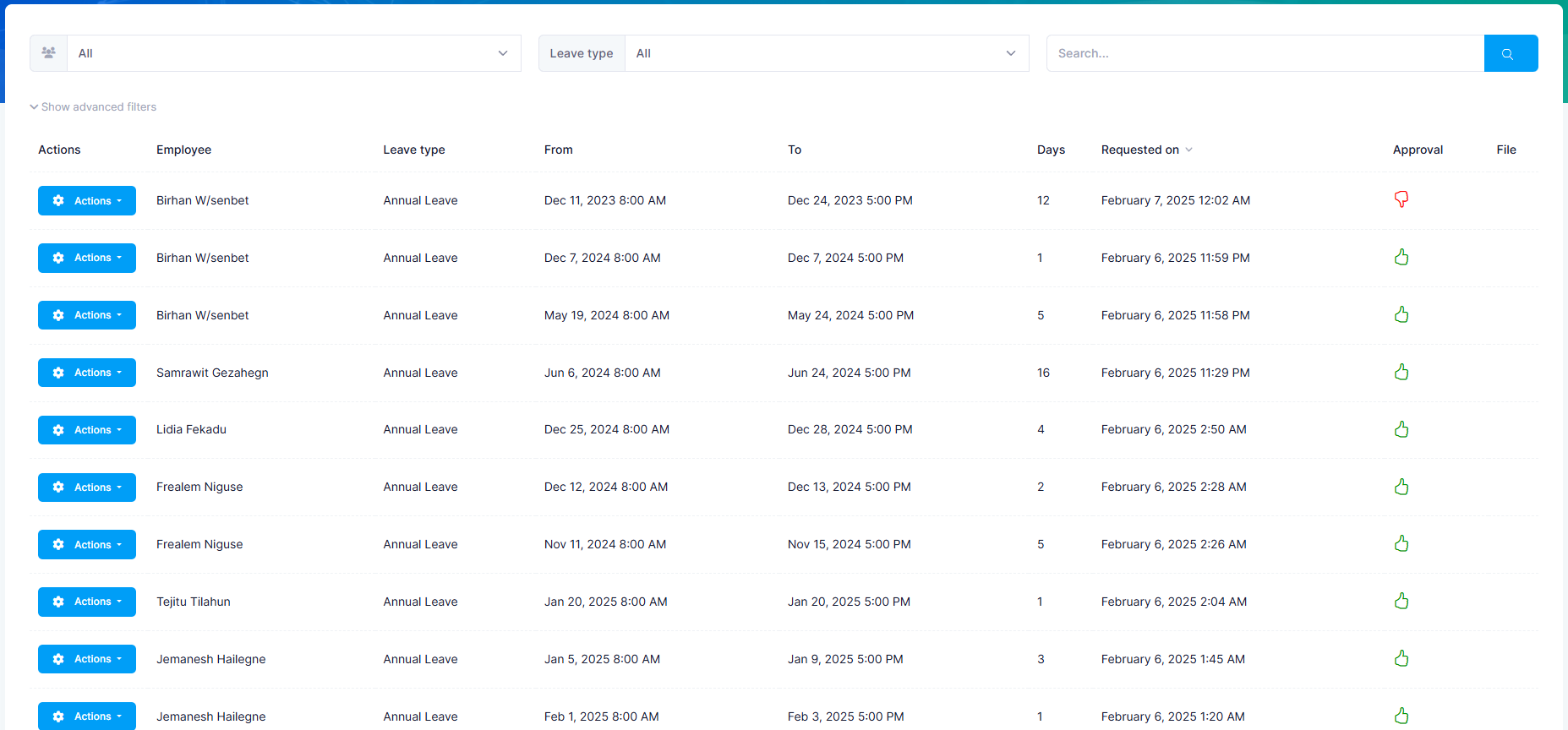
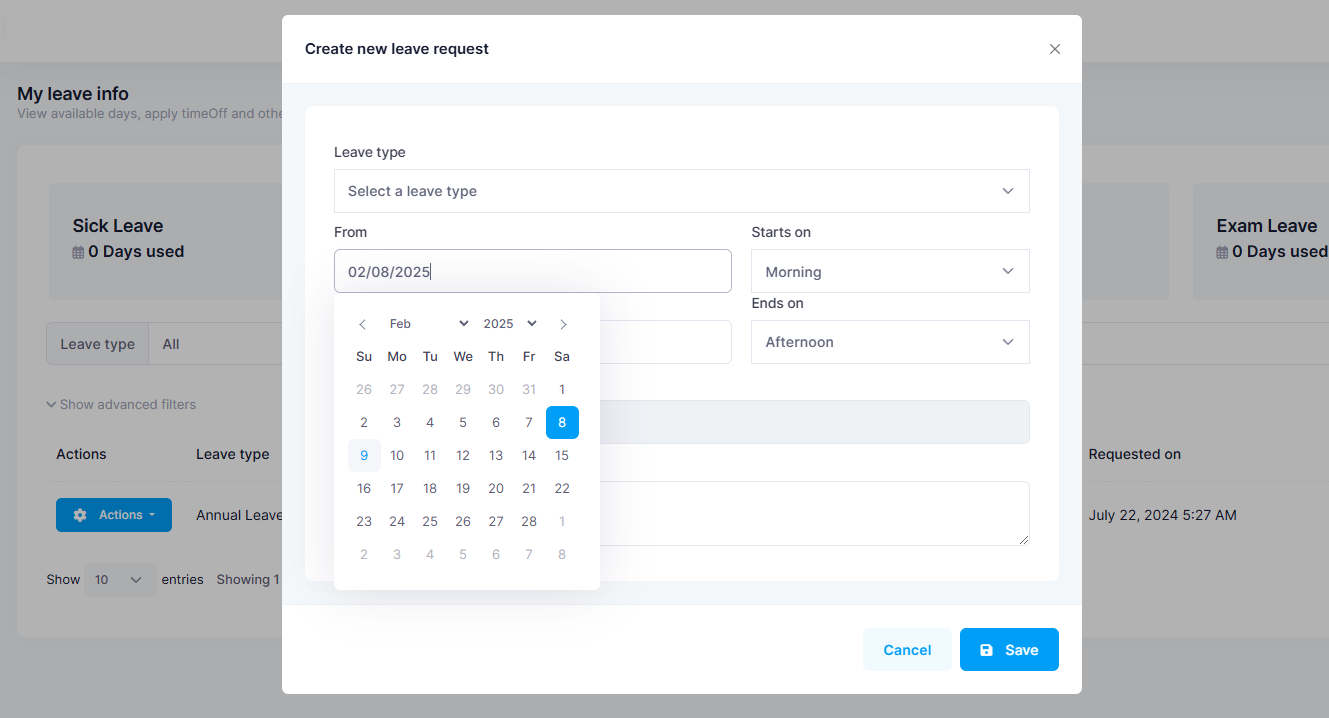
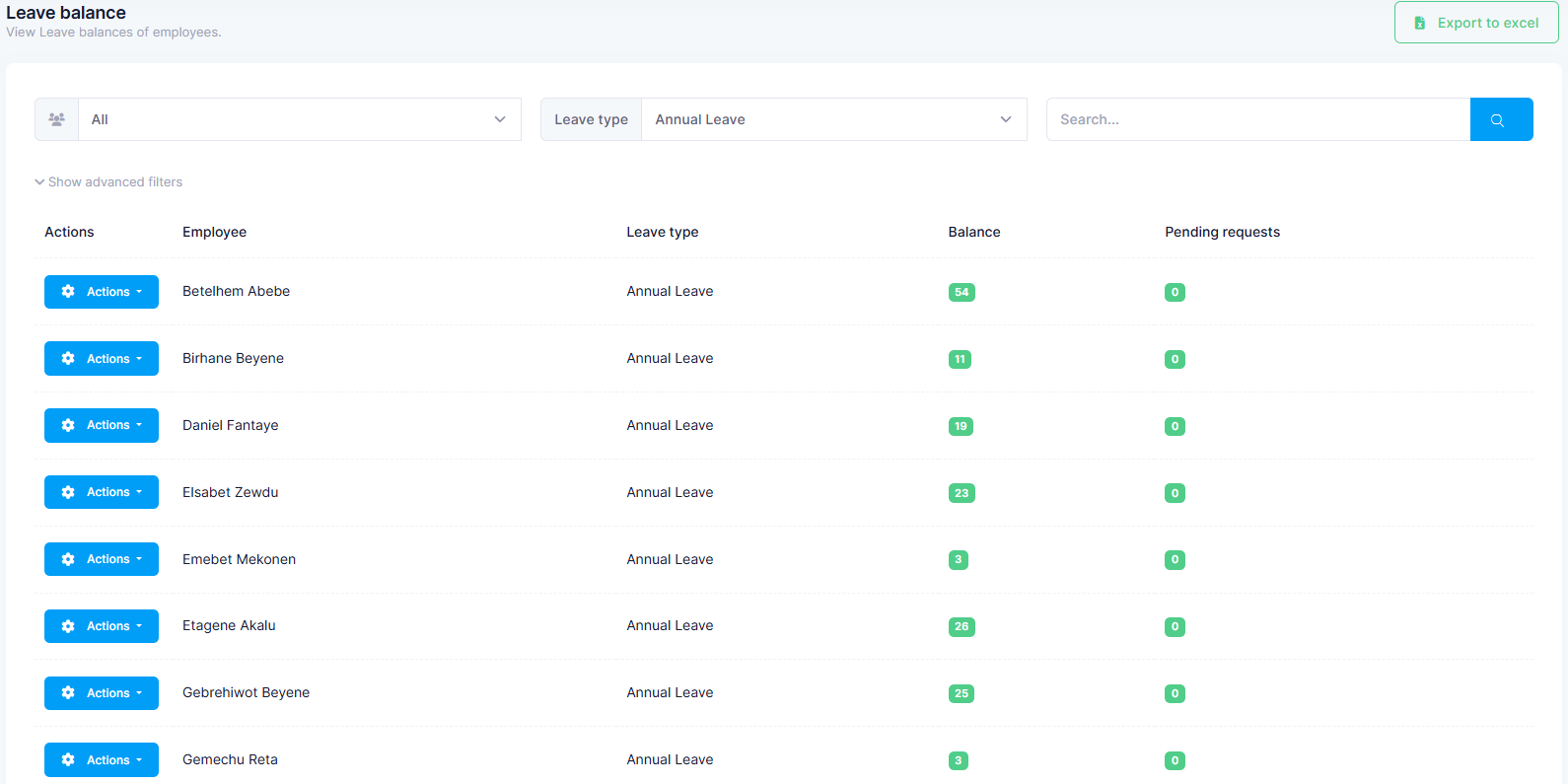
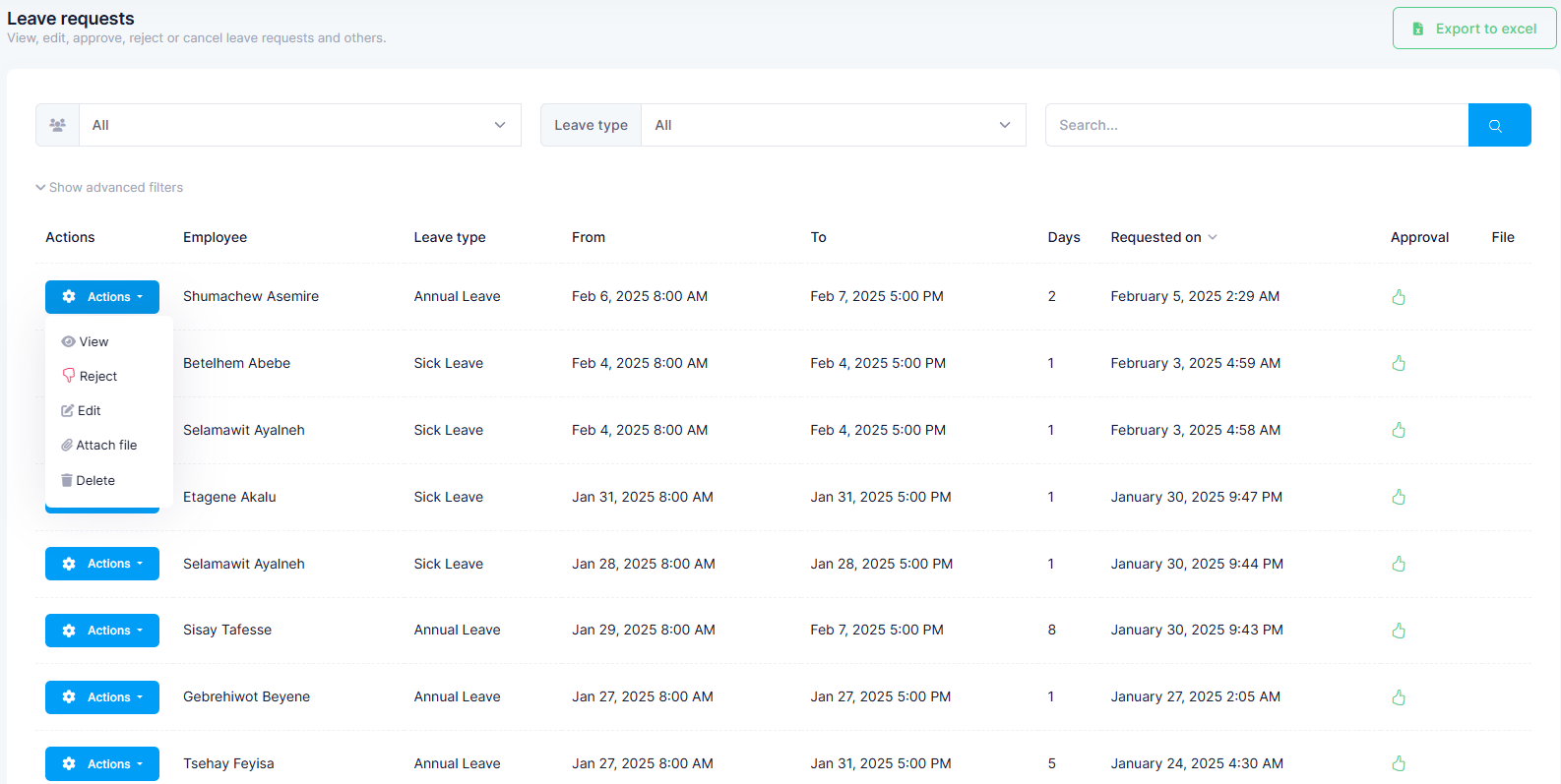
Employee management system that comprises full employee information such as joined date, leave management based on the country's HR policy. This system is also automated to automatically manage yearly annual day off days increment based on the service years served by the employee.
Category
Web App
Client
Signature Salon & Spa, PEEMS, HOH
Project Description
The fist thing is to classify the type of day offs and their properties based on the country or organizatin policy of granting. After that, Employee information should be carefully put so that, the system automatically calculates the number of days that should be allocated to each employee. Each employee has with his/her roles can request day off, bosses can approve or reject the requests. The employee has his own access in the system and can see his performance over his period of years.
Category
Website
Client
PROCS
Start Date
September 09, 2024
Category
Website
Client
Truth Pillar Church
Start Date
September 12, 2024
My Experience
My Education
I am good at
We put your ideas and thus your wishes in the form of a unique web project that inspires you and you customers.
93%
.Net Core

85%
JavaScript
93%
C#

85%
TypeScript

89%
jQuery
My Client's Testimonials
Success is not when you make money but when you see the system you developed meets its goal and exceeds your customer's expectation.


“I experienced Mr. Yohannes Fistum accomplishing his duty diligently and with high standard of perofessional capacity. It was very interesting to see him with high enthusiastic focus in his work which helps him to produce authentic result. I recommend Mr, Yohannes Fistum to kae any responsibility to accomplish good results in his field of profession.
Ananas Girmai
MD, PROCS
“Yohannes has an outstanding expertise and dedication in IT solutions. His work in designing and implementing an efficient employee leave request and booking system to our SPA has significantly improved our workflow, making the process seamless, user-friendly. His ability to understand our needs, translate them into innovative technology solutions, and provide continious support has been invaluable to our SPA.
Netsanet Lemma
Owner & Manger, Signature Salon & Spa

“Yohannes is a hard working engineer with full of courage and professionalism. He very much helped our company in modernizing its system by making different functions integrated and digital. He is full of good personality with helping mind set.
Bisrat Tirfe
MD, PEEMS
“Yohannes is a professional Designer he really helps my business by providing value to my business.
Hana
MD, Holystic Opportunity of HopesLet’s work together!
Lets put your idea in to paper and build a robust system for your business. Just simple like that!
-
Phone
+251 910 972472 -
-
Address
Addis Ababa, Ethiopia